
What it is
MCP, the Model Context Protocol, is an open standard that lets an AI assistant use another app's data and actions. The Balans.finance server is at https://balans.finance/mcp. Connecting asks you to sign in to Balans.finance and approve what the assistant may do, and nothing is shared before that.
What the assistant can see and change
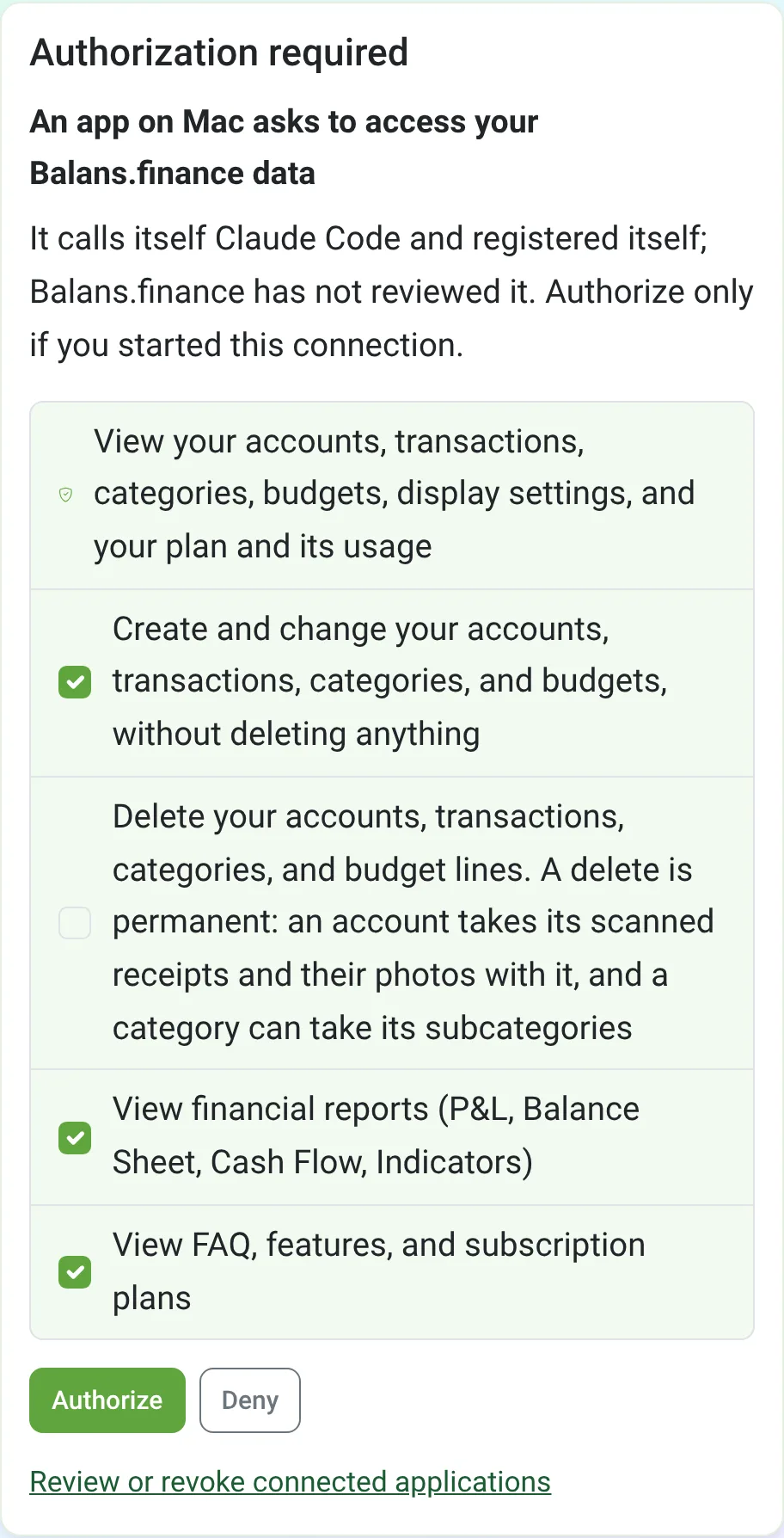
The approval screen can ask for these permissions:
- View your accounts, transactions, categories, budgets, display settings, and your plan and its usage
- Create and change your accounts, transactions, categories, and budgets, without deleting anything
- Delete your accounts, transactions, categories, and budget lines. A delete is permanent: an account takes its scanned receipts and their photos with it, and a category can take its subcategories
- View financial reports (P&L, Balance Sheet, Cash Flow, Indicators)
- View FAQ, features, and subscription plans
Each permission after the first can be unticked before you approve, and deleting stays off unless you tick it, so an assistant without it can add and change records but never remove them.
What you can ask
- How much did I spend on eating out last month, compared with the month before?
- Which budget categories am I over this month?
- How has my net worth changed over the past year?
- Add a 12.50 EUR lunch on my card for today.
- Move all of this year's Uber transactions to Transport.
Connect Claude Code
- In a terminal, add the server to Claude Code:
claude mcp add --transport http balans-finance https://balans.finance/mcp - In Claude Code, type /mcp, choose balans-finance and pick Authenticate. Your browser opens.
- Sign in to Balans.finance if you are not signed in already, check the permissions on the approval screen and approve.
- Back in Claude Code, ask about your money.
Any assistant that connects to a remote MCP server, registers itself and signs in with OAuth can use the same address. Claude Code is the assistant these steps have been tested with.
Where your data goes
The assistant is an app you chose, run by its own provider. What it reads from Balans.finance goes to that provider and is handled under the provider's terms, like anything else you tell it. Balans.finance sends it nothing on its own, and the assistant reaches only what you approved. Disconnecting stops further reads; it does not remove what the provider has already received.
How to disconnect
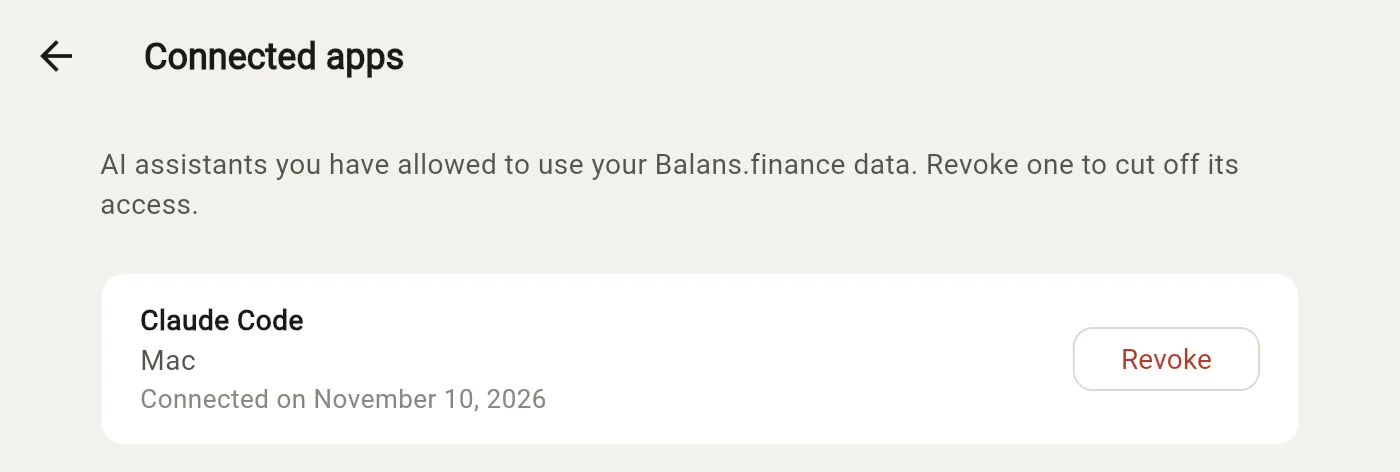
In Balans.finance, open Connected apps (under More on a phone, in the Settings menu behind the gear on a computer) and revoke the assistant. Its access ends at once, and its next request is refused until you approve it again. Removing the server from the assistant alone leaves its access in place.
Which plan includes it
Connecting an assistant is included in every plan, the free plan too. What it reads follows your plan, as the app does, so a card's detail page, net worth over more than 12 months and quarterly or yearly budgets need Starter.