
How an import works
- Download a statement from your internet bank as an Excel (XLSX), CSV or PDF file. Statements from Bank of Georgia, TBC Bank and other banks work, with column titles in Georgian, English or another language.
- Upload the file in Balans.finance and choose the account it belongs to, or create one. A file can be up to 5 MB.
- Balans.finance finds the column titles and reads every row. A layout it has not seen before is mapped by AI on its first import, and is recognised after that.
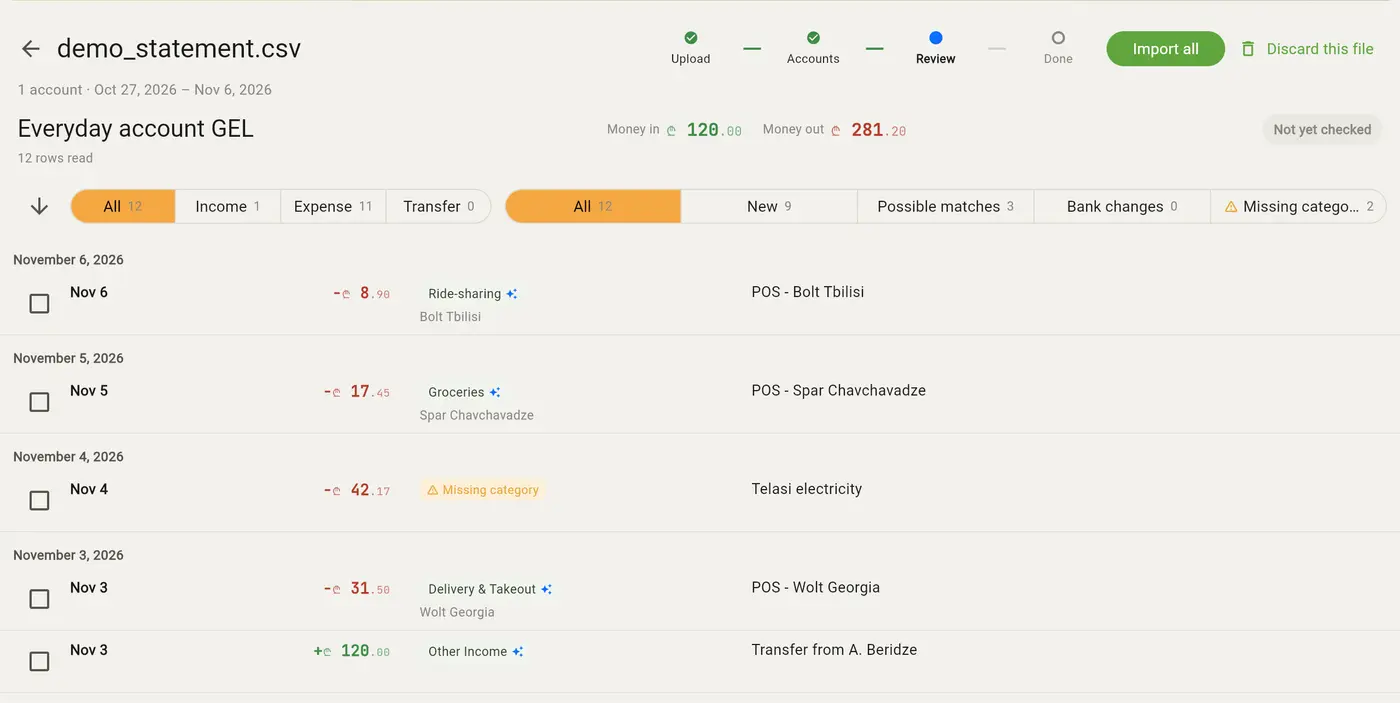
- Review the result. Each row shows whether it is new, possibly the same as a transaction you already entered, a transfer between your own accounts, or a change the bank made to a row you imported before.
- Confirm, and the transactions are written to your account. Nothing is written before you confirm.
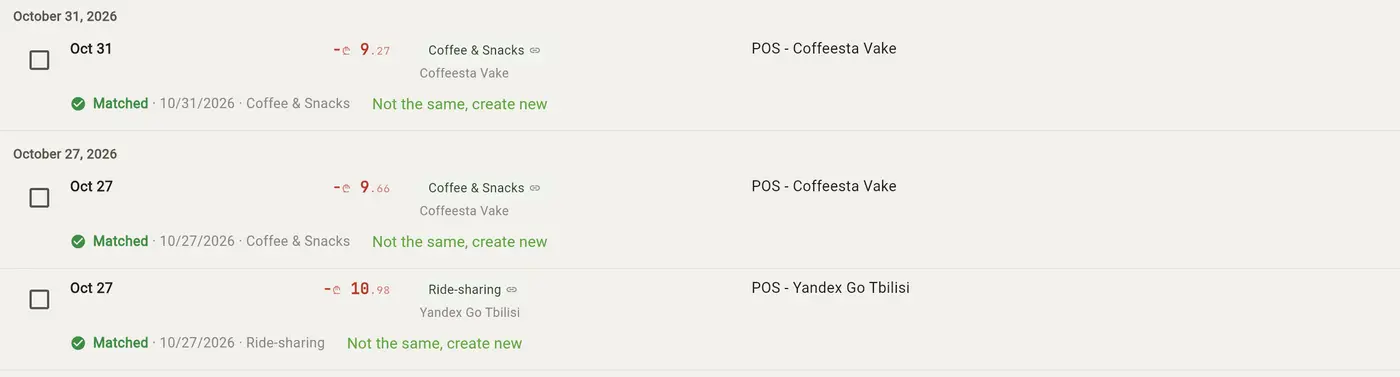
What you already entered is matched, not doubled
Rows that look like a transaction you already entered by hand are offered as possible matches, so the import links the two instead of adding a copy. Importing a statement that overlaps an earlier one adds only the rows that are new.
Transfers between your own accounts
When money moves between two of your accounts, the import shows it as one transfer rather than an expense on one side and an income on the other, and counts it once.
Categories suggested from your own history
Each new row comes with a suggested category, taken from how you categorised similar transactions before. Where your history does not settle it, AI suggests one from your own categories, given the row's merchant name, a redacted description and the names of your categories and accounts. You can change any of them before you confirm.
Any bank's layout
Banks print their statements in many layouts, and none of them publishes the format. Balans.finance maps the columns of a new layout with AI, then checks the result against the file itself, such as whether the running balance adds up, before it imports a single row.
To map a new layout, the AI sees a redacted copy of the first rows. Names are replaced with placeholders, account numbers are shortened to their last digits and long numbers are blanked, while the shapes of dates and amounts are kept.
Several accounts and currencies in one file
Some banks put every account and currency of a customer in one sheet. Such a file is split into one import per account, and each is reviewed on its own.
Bank of Georgia and TBC Bank statements
Both banks let you download a statement as an Excel file from their internet bank, with Georgian or English column titles. Upload it and choose the account in Balans.finance that matches the bank account.
Undo an import
An import can be undone for 30 days after you confirm it, unless a transaction it created has been changed since or a later import has built on it.
No bank connection
Balans.finance never connects to your bank and never asks for your bank login. You decide which file to upload, and the file is deleted as soon as the import no longer needs it.
Which plan includes it
Every plan includes a monthly allowance:
- Free: 1 statement import a month
- Starter: 5 statement imports a month
- Pro (Coming Soon): Unlimited statement imports
- Max (Coming Soon): Unlimited statement imports
The allowance renews each month on the day you signed up.